OneStudyTeam
OneStudyTeam builds software that helps clinical research sites streamline patient recruitment and study operations. The eSource team focused specifically on digitizing source document workflows so site staff can manage trial documents in one place, reducing overall admin burden and improving operational efficiency
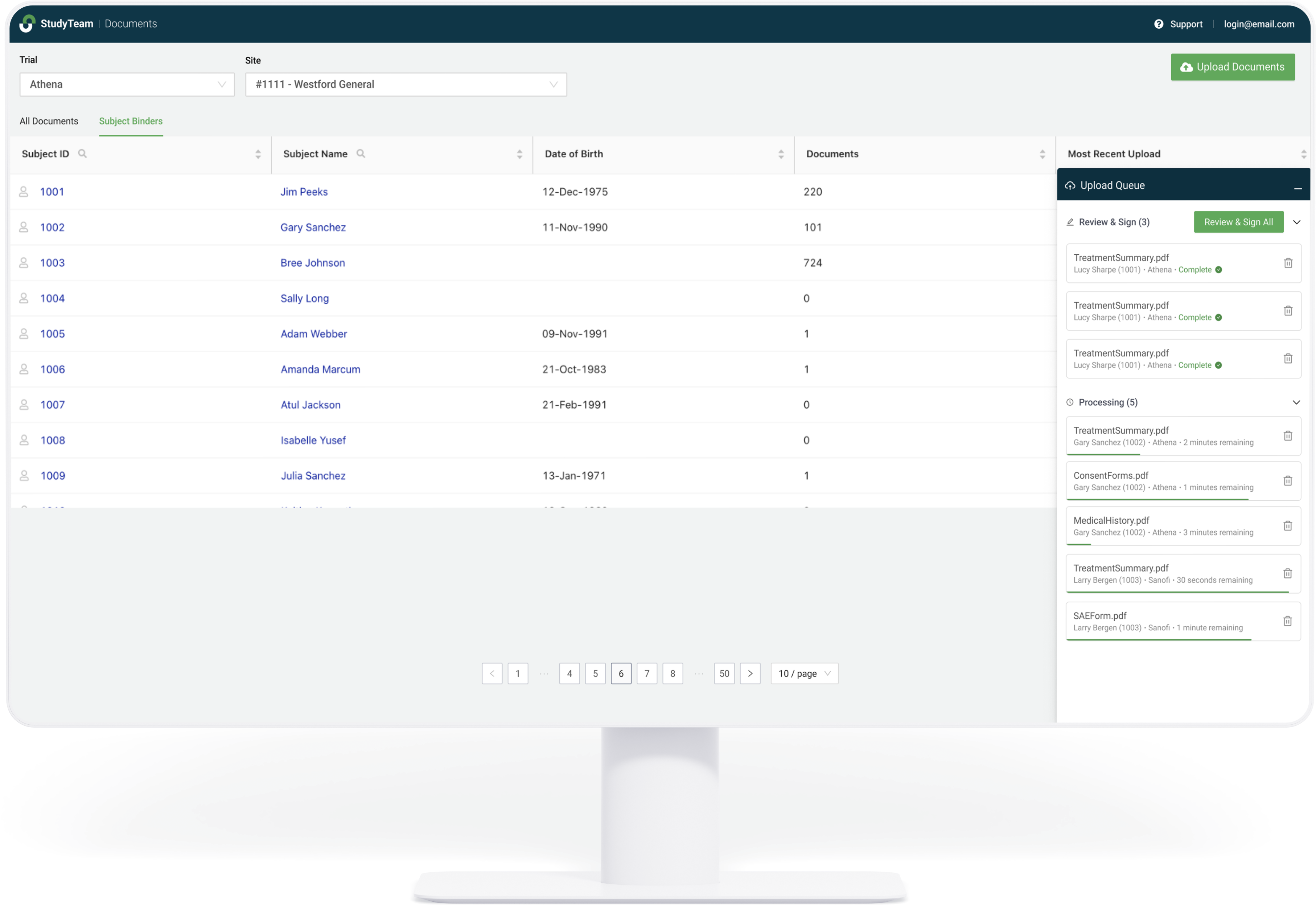
Challenge

Clinical site staff were limited to uploading one source document at a time, forcing them to pause other work while uploads processed. This created unnecessary downtime, reduced platform efficiency, and increased operational burden across clinical trial teams.
Solution
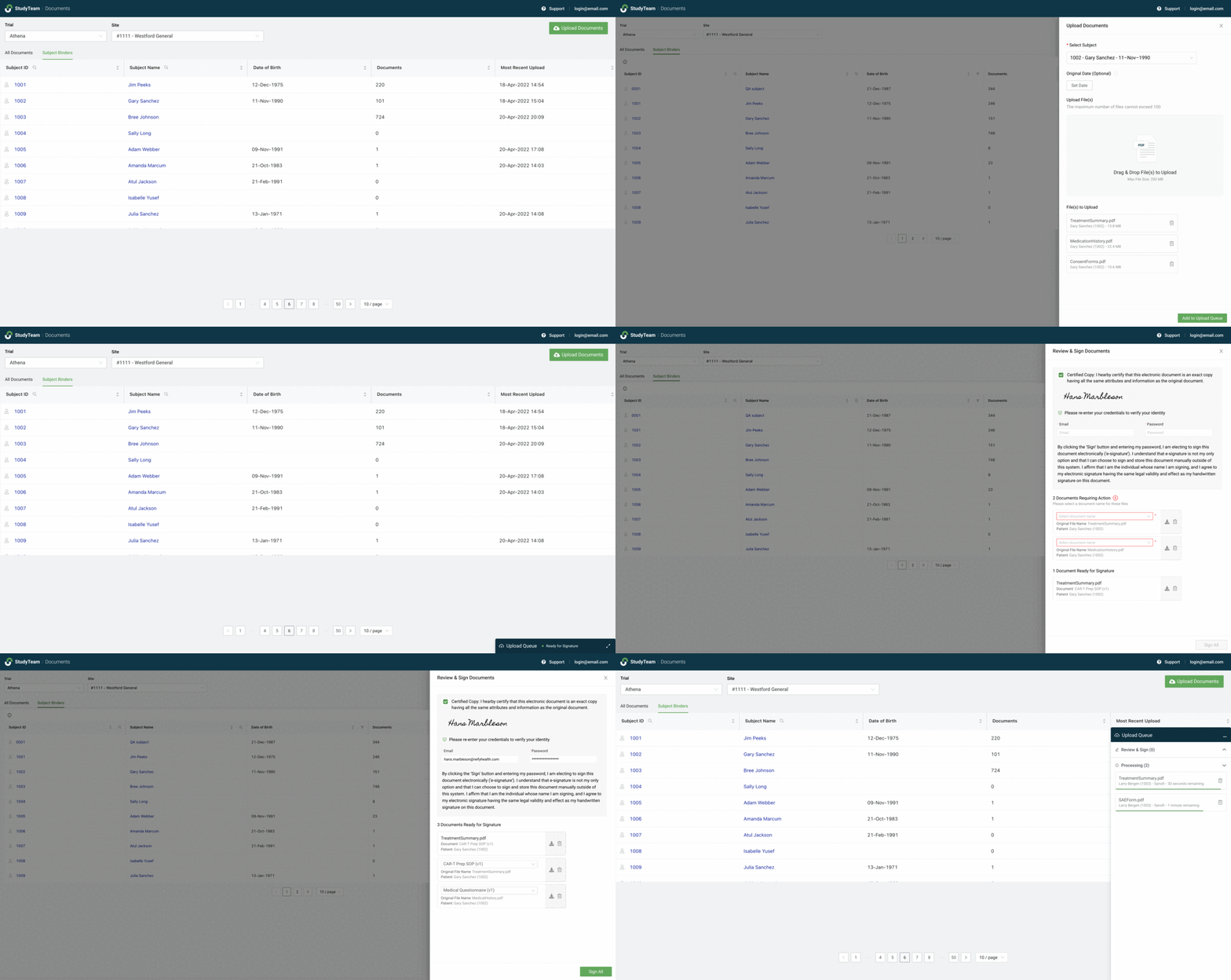
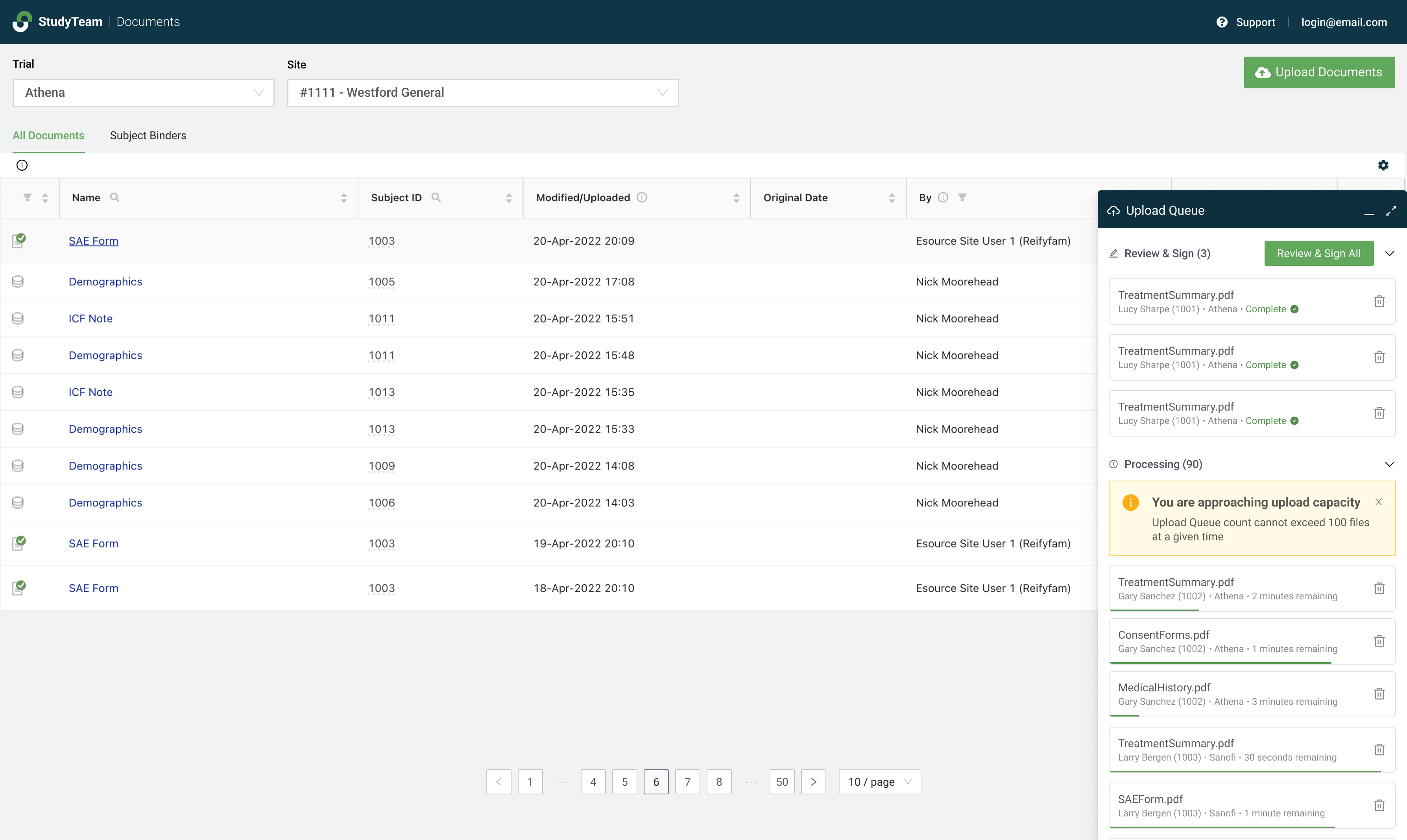
We introduced an Upload Queue that allows users to continue working in the platform while documents upload in the background. The queue provided upload progress visibility and enabled batch document upload, review, and signing, which significantly reduced waiting time and workflow disuption.
What We Learned From Site Visits
During a company retreat, our product and design teams visited one of our clinical research sites to better understand how staff were using StudyTeam Documents in their day-to-day work. In speaking with coordinators and site admins, I learned that many preferred using competitor tools over our product, not because of missing features, but because our workflows were significantly slower. As a result, many teams were splitting their documentation processes across multiple systems, increasing the risk of errors and reducing the consistency of study records.
Why This Problem Mattered
Clinical research staff already operate under heavy administrative burden and strict regulatory constraints. When core workflows like uploading study documents are slow or force users to sit idle, it creates real operational inefficiency. Over time, this friction discourages product adoption, increases the risk of churn, and fragments study records across multiple systems. That fragmentation also introduces compliance risk and goes against our goal at OneStudyTeam, which is to reduce operational bottlenecks so clinical trials can move faster.
User Research and Key Insights
Following the site visit, I synthesized insights from contextual inquiries and user interviews to understand where StudyTeam Documents was creating friction in day-to-day workflows.
Primary Users
- Clinical research coordinators
- Clinical site administrators
Key Insights
- Users lacked visibility into upload progress
- Uploads blocked other work
- Sites needed to upload many documents across multiple patients and trials, but the system only supported uploads per patient for a single trial at a time
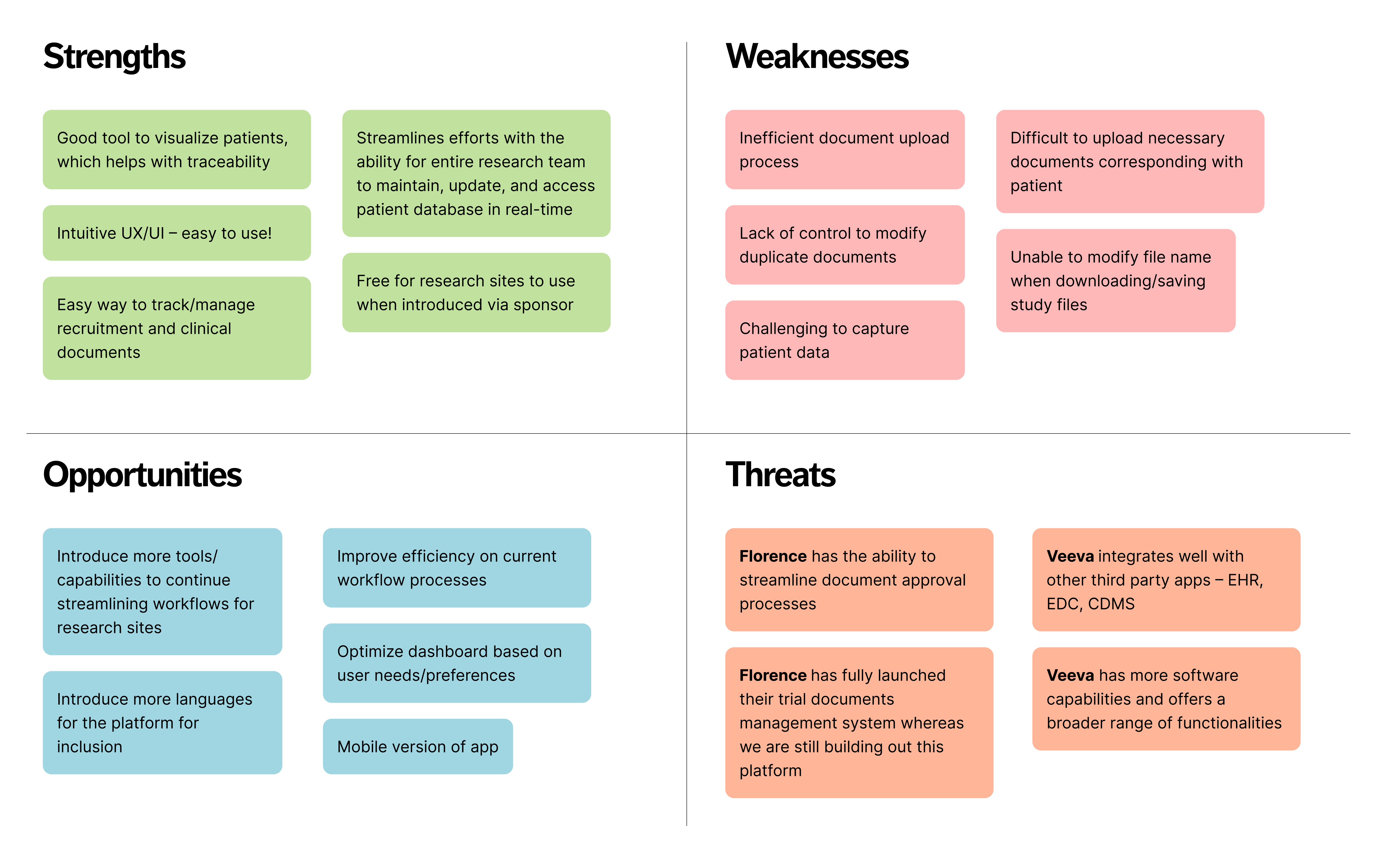
SWOT Analysis
To further contextualize these findings, I developed a SWOT analysis to benchmark our product experience against the external tools sites preferred using. This helped us clearly articulate where our product was falling short and where we had the strongest opportunity to improve adoption.
Defining the Workflow
Before jumping into wireframes, I mapped a potential end-to-end user flow to understand where this feature should live within the platform and how users would naturally interact with it. My goals were to ensure the feature was easy to discover, aligned with our existing information architecture, and respected current UI constraints. A key change that I wanted to make was to shift from a blocking workflow, where users were locked on the upload screen, to a background workflow that allowed users to continue working despite uploads processing.
This raised several questions that informed my design explorations:
- Where should background uploads live in the UI?
- How do we embed upload status?
- How do we notify users when uploads are complete?

Design Explorations
I explored multiple approaches for how the concept of an "Upload Queue" could fit into the product. This included testing different UI placements, interaction models, and notification patterns to ensure uploads remained visible and actionable without interrupting core workflows. These explorations helped us align on a scalable design pattern that balanced usability, clarity, and technical constraints.
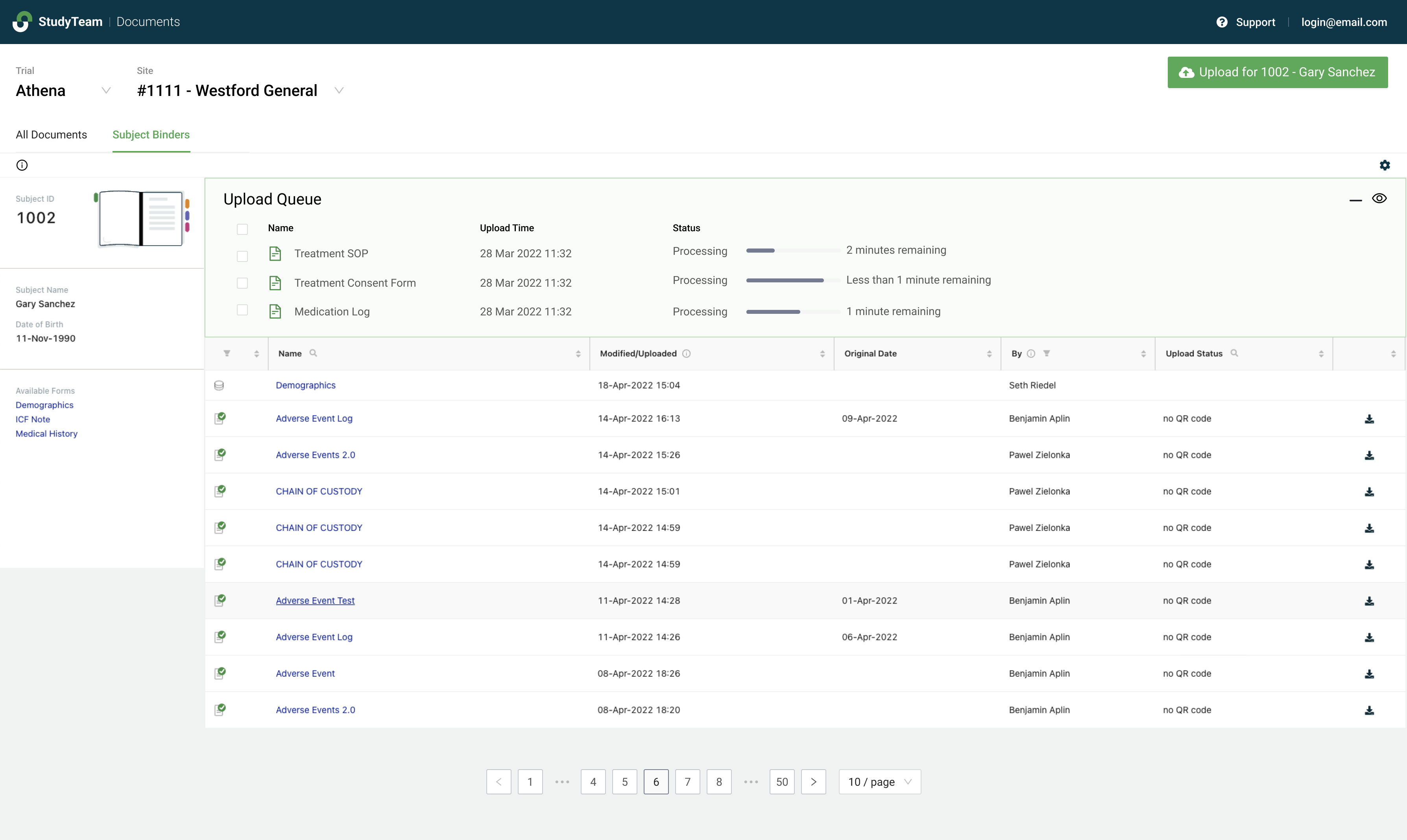
.png)
The Solution
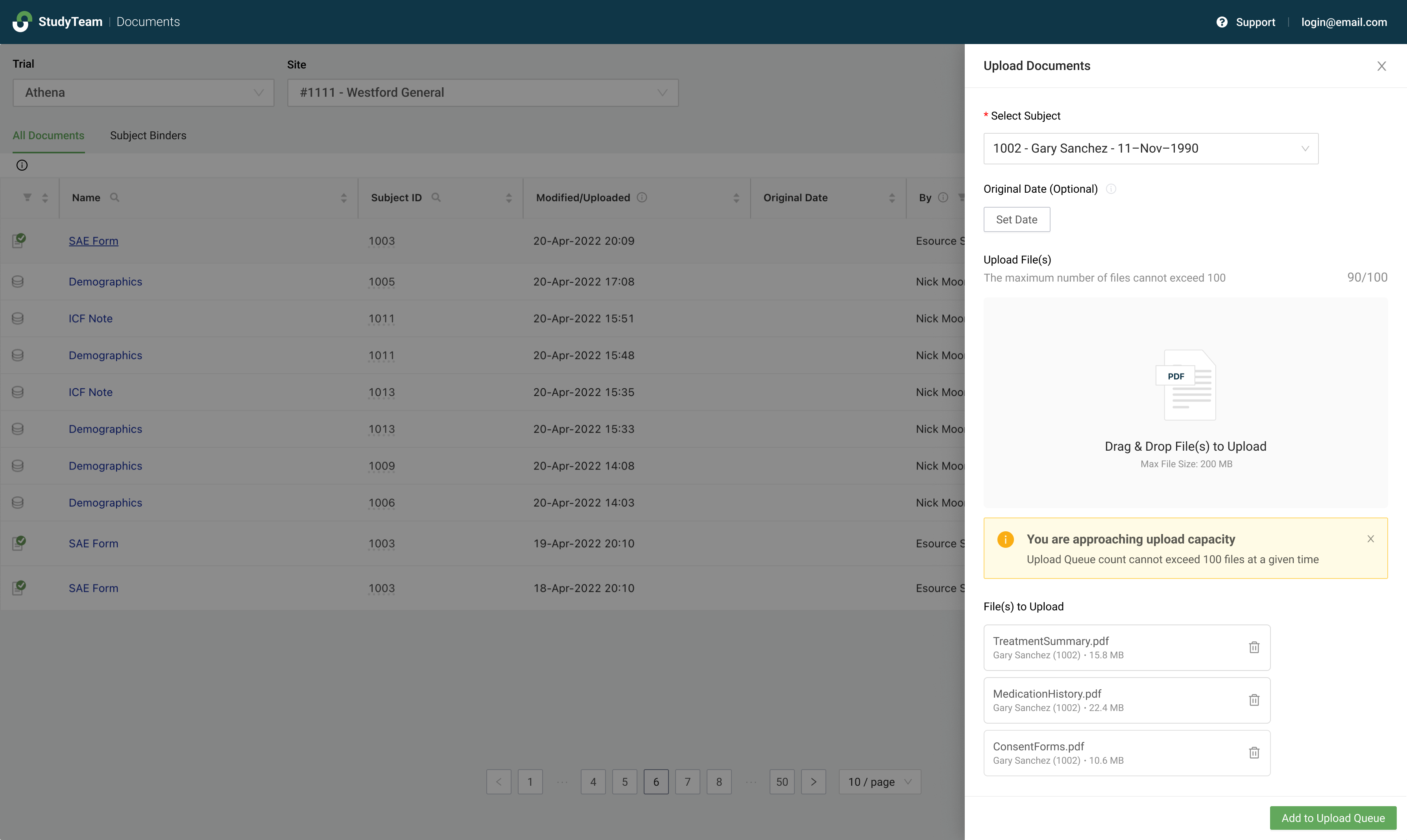
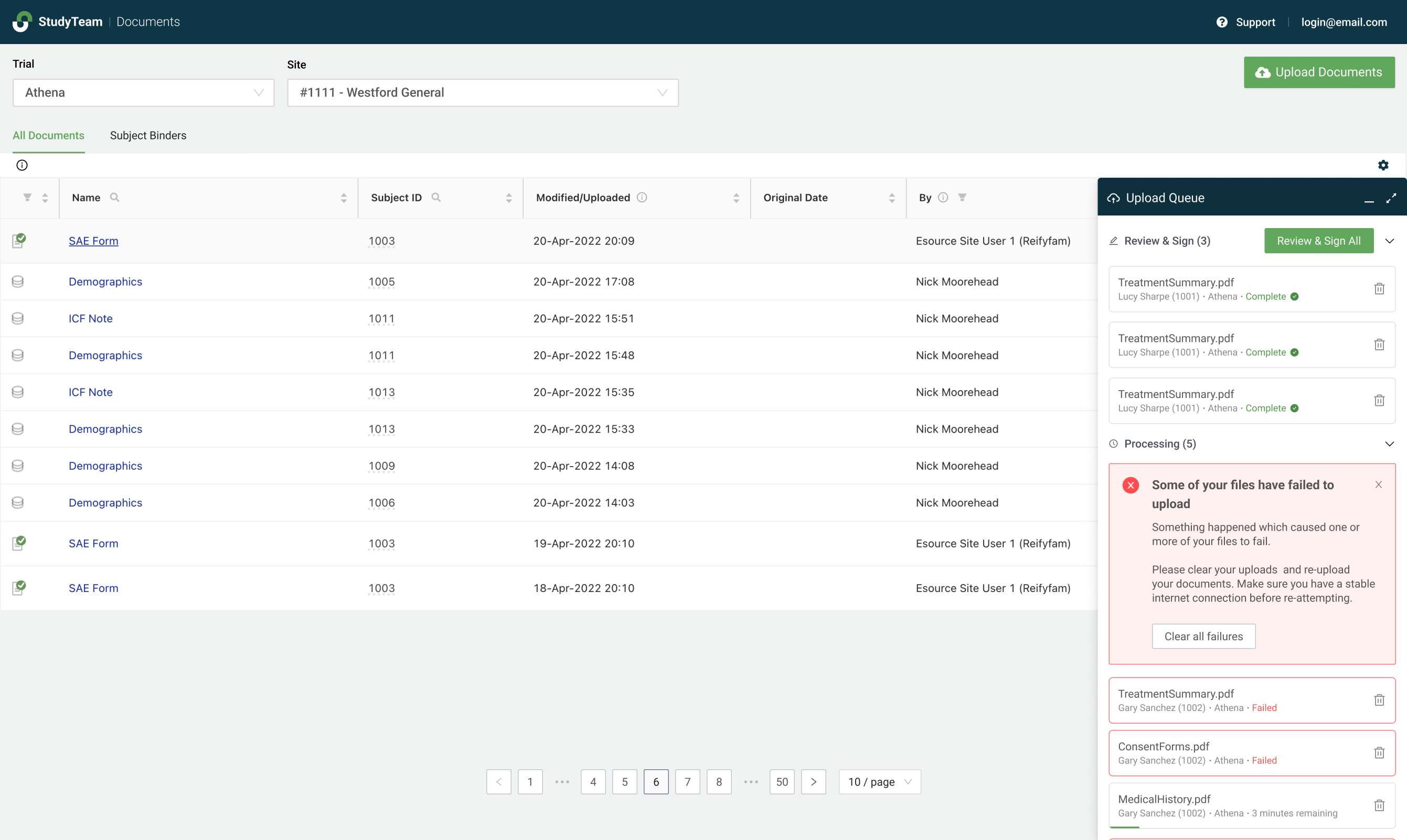
The Upload Queue allows users to upload multiple files at once while continuing their work in the app. Uploads process in the background, with clear progress indicators, error handling, and review states so staff always understand the status of each document. This reduces idle time, improves visibility, and supports higher-volume workflows across clinical research sites.
Engineering Feedback and Design Refinements
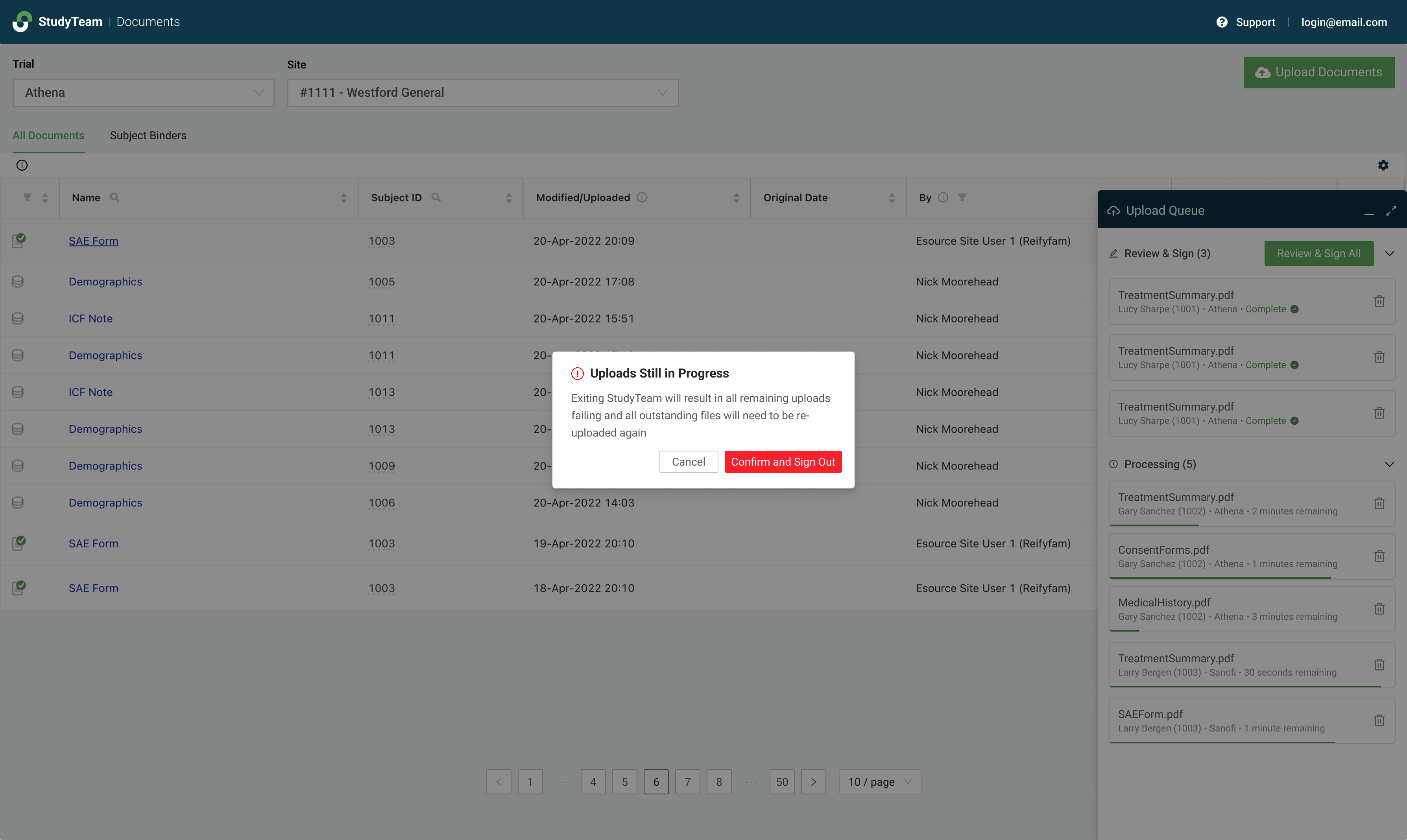
I partnered closely with engineering to stress test the designs and through those conversations we identified several important edge cases around system states. Based on this feedback, I refined the experience to better account for failure states and risk prevention. Updates included:
- Clear warnings and error states for failed or blocked uploads
- System feedback for when upload limits are reached
- Exit warnings to prevent users from unintentionally interrupting uploads
Impact
Although exact productivity metrics weren't tracked at the time, we monitored signals such as:
- Reduction in upload-related support tickets
- Positive feedback in customer conversations
- Broader internal adoption of upload design pattern across the product
Challenges
Throughout this project, several constraints influenced the direction of the solution:
- Technical and resource limitations
- Evolving requirements across teams
- Designing for scale and not just usability
How I'd Measure Success
Because this feature was designed to reduce operational friction that could influence churn, I’d measure success through signals that show both workflow and retention impact:
- Feature adoption for upload activities
- Growth in bulk upload activity over time
- Positive qualitative feedback from users